With McKesson, ordering with Nexxsys is a two step process. Nexxsys will create an order file and using the Pharmaclick website, you need to upload the file.
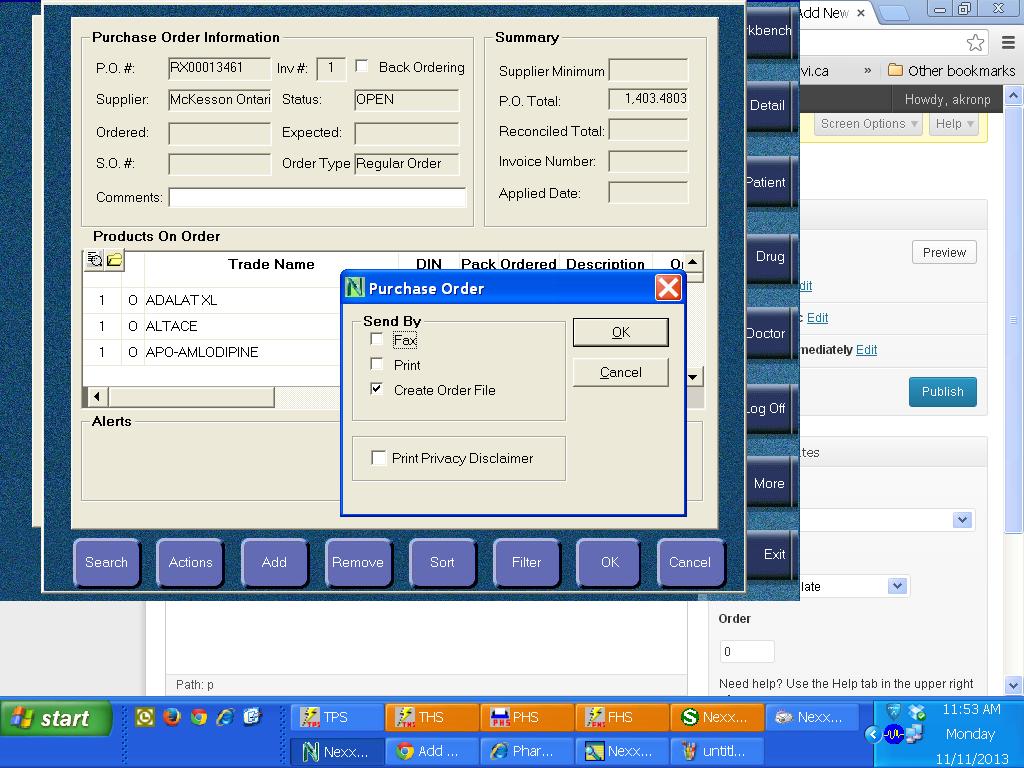
1. Create and Send order as per normal in Nexxsys. NOTE: for Narcotics, the password is 1000. The system will inform you an purchase order file has been created.
2. Log onto the Pharmaclick website and click Ordering then Upload File
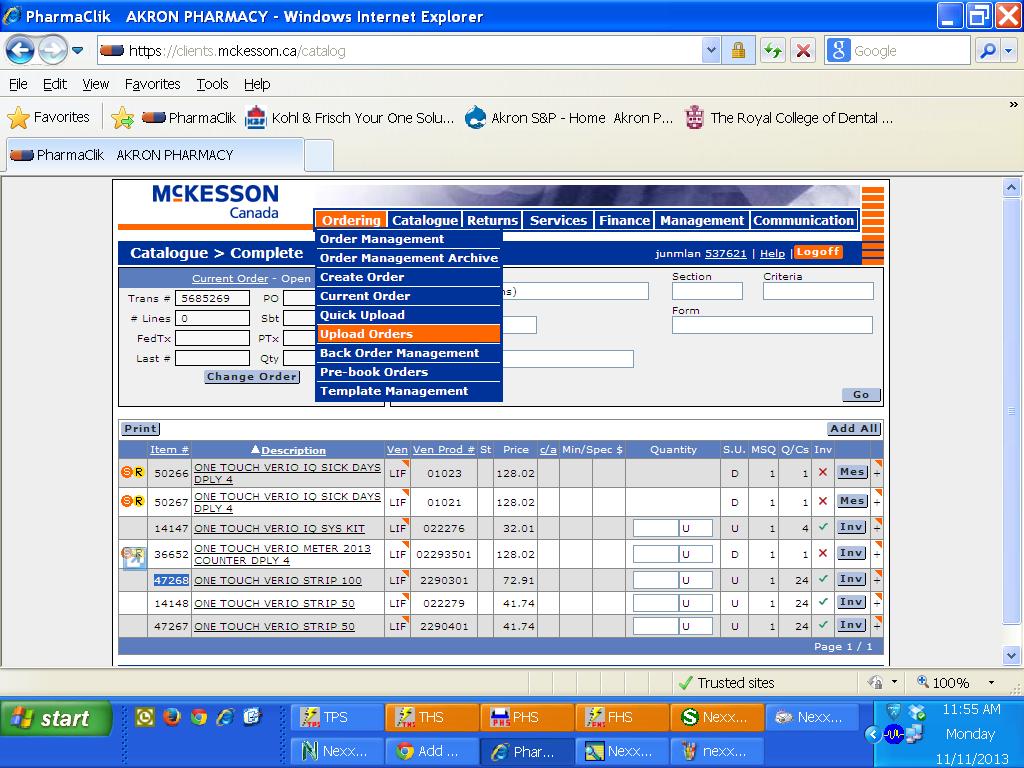
3. Click the Upload File button. One or more orders will be created by the process.
4. Click Save to save the orders. You will be brought to the Order Management screen.
5. If the order is for same day or Saturday delivery, you will need to Modify the order. Click the “MOD” button. In the Modify Order screen, click the Div Code dropdown box and select the correct order type (same day or saturday). Make sure to click “save header” to confirm same day or Saturday delivery
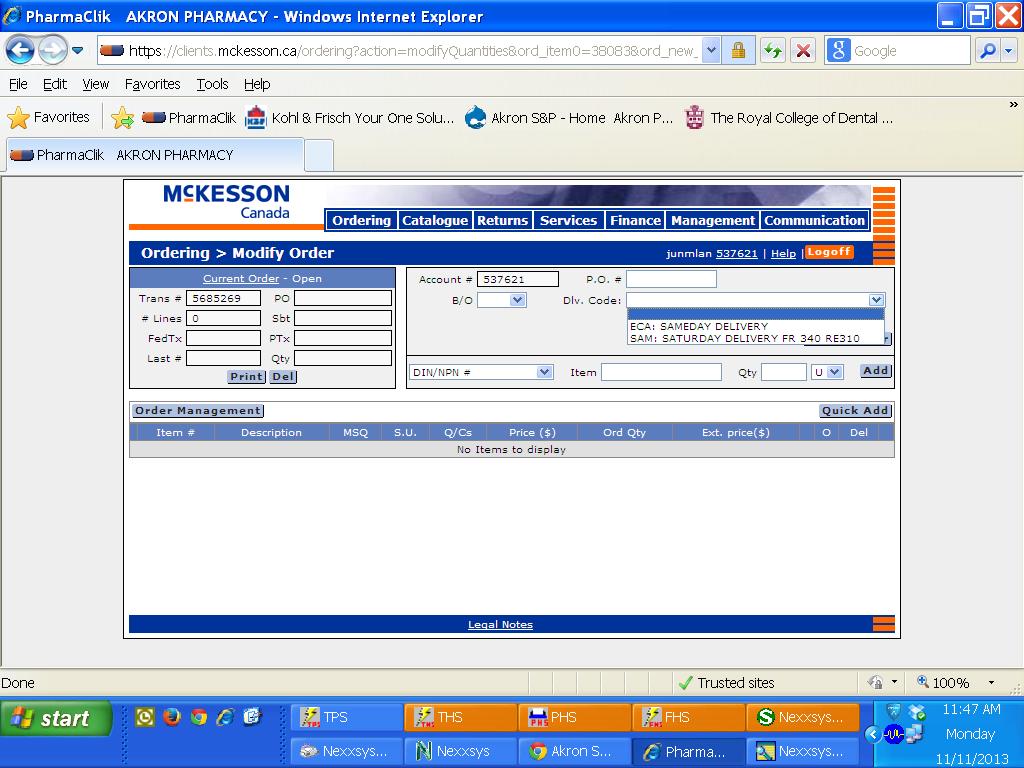
6. If there are entries highlighted in yellow, you will need to either delete these items or change the delivery type back to normal. These yellow entries cannot be delivered same day or on Saturday.
7. Save any changes to made.
8. Send the order.